Send a proposal. See when it's opened. Get it signed and paid.
Proposal software for freelancers, designers, and small agencies.
A PDF goes quiet. ApeiroCraft is one link: you see the moment your client opens it, they sign in the same link, and the accepted proposal becomes an invoice.
No credit card · 14 days of Solo, then Free (3 proposals and 3 invoices sent a month, every feature) · Paid plans flat from $19/mo, not per user.
See how a proposal goes from sent to paidMeridian Group opened your proposal
Just now
Brand refresh — Phase 1
Prepared for Meridian Group · $12,400
Signature
Your name appears here, in ink.
Live demo — nothing is saved.
Example notification and proposal. Names are illustrative.
Free is not a trial in disguise
After 14 days of Solo you move to Free. Nothing is deleted, drafts stay unlimited, and no card is needed. You pay only to send past the monthly limit.
Signatures on the record
Every signed proposal records name, email, IP and a UTC timestamp, and can't be edited after signing.
Flat pricing, not per user
You pay per account. Solo includes 3 people, Team 5, Agency 20, across all your workspaces.
Keep what you already use
Import contacts from a CSV, or run it next to your current CRM while you switch. Your clients never need an account.
From sent to paid, without the guessing.
With a PDF you send, then wait, and you can't tell whether it's being read or already lost. With a link, each step below is visible to you.
Sending a PDF
- Write the proposal in a doc
- Export to PDF, attach to email
- Wait
- Follow up and hope it isn't too early
- Wait again
- Send it through an e-signature tool
- Re-type everything into an invoice
Sending an ApeiroCraft link
- Sent — One link, no attachment
- Opened — Opened 2 minutes ago
- Signed — In the same link
- Invoiced — One click, nothing re-typed
- Paid — Your processor, your cash flow
A better way to send proposals
See it in action — 2 minutes
Watch a quick walkthrough of ApeiroCraft and see how a proposal goes from sent, to opened, to signed — and eventually becomes an invoice.
No slides. No sales pitch. Just the product in action.
Watch the demo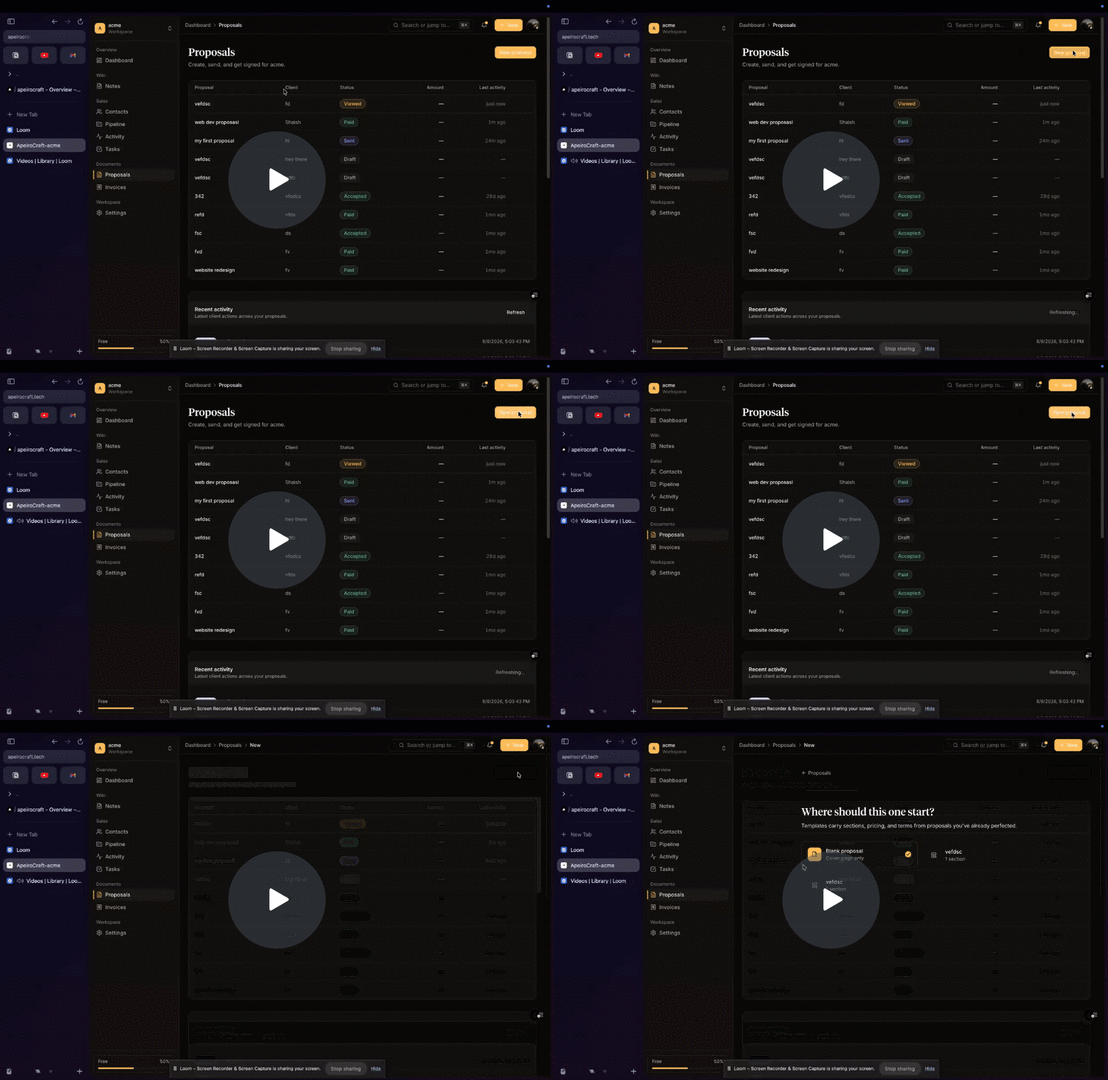
Quick Proposal from ApeiroCraft
Watch the walkthrough →
The part a PDF can't do
Follow up the day they open it, not day three.
When your client opens the proposal, it's timestamped on the document and you're told. That's your cue to follow up while it's fresh, not a guess.
It's recorded on the proposal itself, not an email tracking pixel, so forwarding it to a decision-maker still registers.
See how proposal tracking worksSignature
Get it signed in the same link.
Your client reads the proposal and signs it in the same link. They draw or type their name and the record captures it with their email and a UTC timestamp.
No account for them to create, no second app, no “please find attached” round trip.
Invoice
Turn the yes into an invoice in one click.
An accepted proposal becomes an invoice with the client details and line items already filled in. Attach your own payment link and the money goes straight to your processor.
Nothing re-typed, nothing copy-pasted between two apps.
For new accounts
Get your first three clients through ApeiroCraft, and $20 comes off your next bill.
That is exactly what the free plan gives you in a month — three proposals and three invoices sent. Do it, upgrade when you run out, and the discount lands on the invoice after that.
Send 3 proposals your clients actually open
They have to be opened, not just sent. Accepted or turned down — either counts.
Add 3 contacts
The people behind those proposals.
Send 3 invoices
Whether or not they have been paid yet.
Applied automatically to your next invoice once you qualify — nothing to claim, no code to enter, no reply needed. You need to be on a paid plan for there to be a bill to discount, so it lands on the invoice after the one you upgrade with. One per account. Solo costs $19, so on Solo it is simply your next month free rather than $20.
Once the deal closes, the client work keeps moving.
The contact you sent the proposal to is the same contact the project runs on. Proposals, invoices and tasks all file under the job they belong to, so you can see what a client owes you and what they have already paid. Nothing to sync, nothing to export.
Projects
One place per job. Every proposal, invoice and task files under it, with the budget and what's actually been collected on top.
CRM
Contacts, pipeline, and follow-ups you can drive entirely from the keyboard.
Proposals
Send a link. See when they open it. Get it signed. Convert to invoice in one click.
Invoices
From accepted proposal to paid invoice in two clicks, with your own payment links.
Tasks
Kanban and lists tied to real clients, so work never floats free.
Notes
@mention teammates, drop in images, and share any note as a public link — connected to clients, proposals, and invoices.
Everything is ⌘K away
Jump to any page, create any record, switch themes — one palette, zero clicks. Or skip it entirely: G J for projects, G P proposals, G I invoices, G C contacts.
Templates for everything
Perfect a proposal once, save it, and the next one takes two fields: who it's for, and their email.
Built for people who sell projects.
Two people or twenty — same product, one flat plan price rather than a bill per head.
Agencies & studios
One pipeline the whole team sees, roles for contractors, and a flat plan price rather than a charge per person.
Web & design studios
Send scoped proposals, see which ones are being read, and get approvals without chasing a signature.
Marketing & consulting
Move a lead from first call to signed engagement without the proposal going quiet in between.
Freelancers
Look like a studio without paying for five subscriptions to do it.
One flat price per account. Every feature on every plan.
Is the free plan a trap? No. Proposals, open tracking, signatures, payment links and invoicing all work on Free. You get 3 proposals and 3 invoices sent a month, drafts are unlimited, and free proposals carry a small “via ApeiroCraft” footer. Paid plans raise capacity; they never unlock features.
Is it safe to put a client contract in it?
Your workspace is yours
Every proposal, invoice and contact is scoped to your workspace and checked on the server for every request. People you invite see it. Nobody else does.
Your clients stay out of it
A client opens one link. No account, no password, no view of your workspace — just the proposal you sent them.
We never see a card
Payments run through Dodo Payments. Card details go to them and never touch ApeiroCraft.
ApeiroCraft is built and run by Shaish Guni. If something breaks or you want something changed, you are emailing the person who writes the code — founder@apeirocraft.tech.
Common questions.
Can't I just send a PDF?
You can. But once it leaves your outbox you have no idea whether it was opened, forwarded, or buried. That's the gap ApeiroCraft closes — you get a timestamp the moment your client opens the proposal, so your follow-up is informed instead of a guess.
I already use DocuSign.
DocuSign is a signature tool, and a good one. ApeiroCraft puts the proposal, the open tracking, and the signature in one link, so there's no handoff between writing the proposal and getting it signed — and the accepted proposal becomes an invoice without re-entering anything.
See how we compare to the tools you're using →What if I'm already on HoneyBook, Bonsai or Dubsado?
You don't have to move everything to try it. Send your next new proposal from ApeiroCraft and leave existing jobs where they are. Import your contacts from a CSV, and the free plan lets you test with real client work before you decide.
Compare with the tools you use →Is my client data safe?
Every proposal, invoice and contact is scoped to your workspace and checked on the server for each request. Clients open one link and see only the proposal you sent, with no account and no view of your workspace. Card payments run through Dodo Payments, so card details never reach ApeiroCraft. ApeiroCraft does not hold SOC 2 or HIPAA certification.
I already use a CRM.
Keep it. ApeiroCraft can be the proposal-to-payment layer on top. The built-in CRM is there if you'd rather not run two systems, but nothing forces you to migrate.
Is this only for agencies?
No. It's built for anyone who sells projects and sends proposals — solo freelancers included. Because plans are priced per account, a one-person studio pays the same rate whether it stays one person or grows to five.
For freelancers →Is the free plan a trap?
No. Every new account starts on Solo for 14 days with no credit card, then moves to Free automatically. Free is one workspace, one person, 20 contacts, and three proposals plus three invoices sent to clients each month. Nothing is deleted when the trial ends, and drafting stays unlimited: you only use up a send when you put a proposal or invoice in front of a client. Open tracking, e-signatures, payment links and invoicing all work on Free. The one visible difference is a small “via ApeiroCraft” line on free proposals.
Full plan limits →Do you charge per seat?
No — there is no charge per user. Each plan is a flat monthly rate that includes a set number of people: 1 on Free, 3 on Solo, 5 on Team, 20 on Agency, counted across all the workspaces you own. Adding someone inside that allowance costs nothing extra. Going past it means moving up a plan — so it is flat pricing with a ceiling, not unlimited seats.
Do my clients need an account?
No. Your client gets a link, opens it in any browser, reads the proposal and signs it. They never sign up, never see your workspace, and never see anything but the proposal you sent them.
What counts against my monthly limit?
Sending. The first time a proposal or an invoice goes to a client, it uses one of that month's sends — and that is the only thing that does. Drafting, editing, deleting, re-sending a follow-up to a client who has gone quiet, and a client opening your proposal as many times as they like are all free. Proposals and invoices are counted separately, so on the free plan you get three of each rather than three between them.
See the limits per plan →Send your next proposal as a link.
Create a workspace in a few minutes, send one real proposal, and see when it's opened. Free to start, no credit card.
Start free, no card